Small business6 min read
A website for a tuition or coaching centre in Tamil Nadu, 2027: what parents look for, and what it costs
What a tuition or coaching centre website in Tamil Nadu needs in 2027: the five things parents check, the page outline to copy, how to show results without upsetting families, and real prices from ₹7,999.

Quick summary
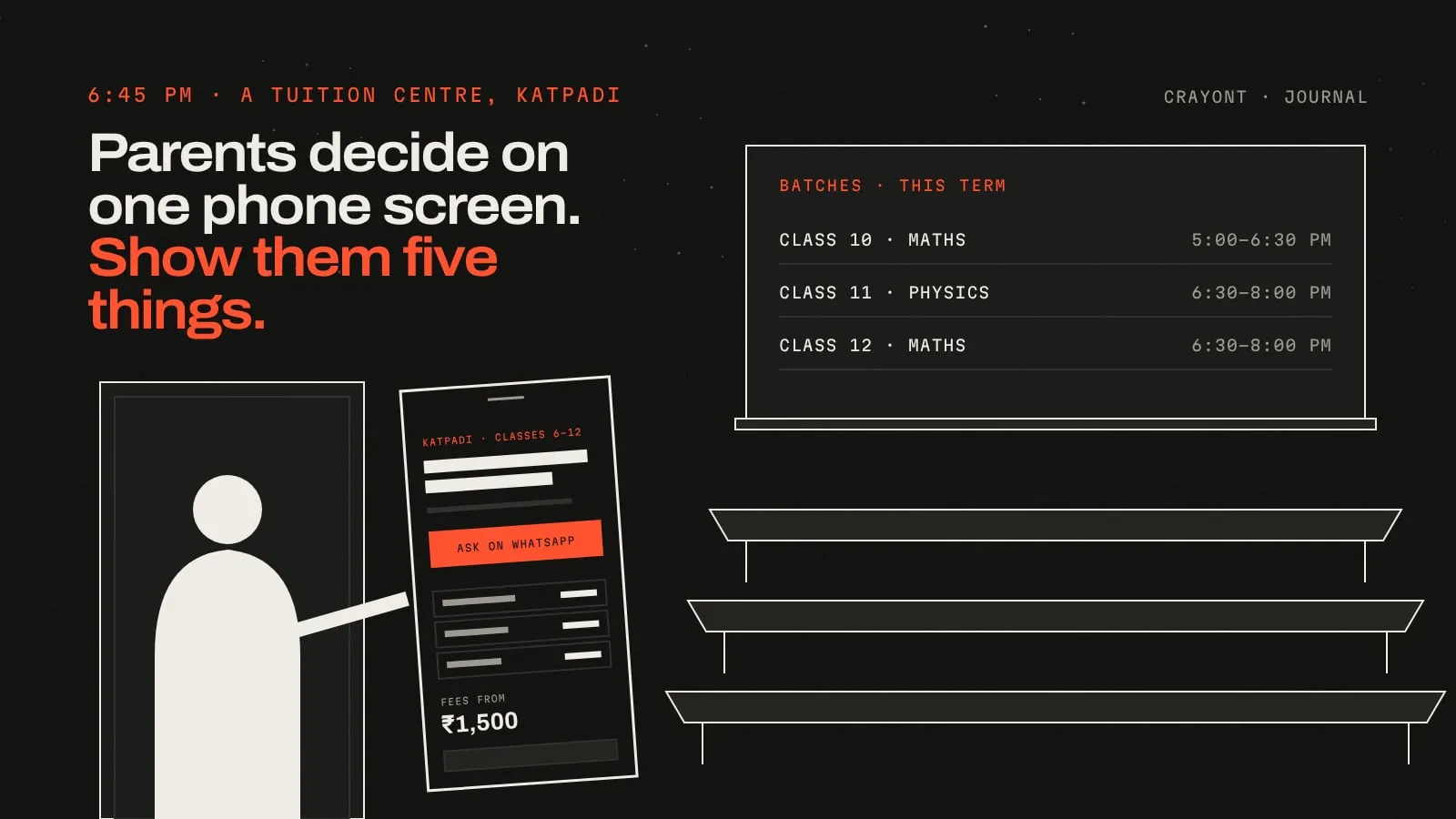
- Parents decide on five things: subjects and classes, the area, batch timings, fees, and one easy way to ask. Put all five on the first screen a phone shows.
- One button is enough: Ask on WhatsApp. Most centres already run admissions on one WhatsApp number.
- Show results only with the family's written OK, and never show a child's marks or photo without it.
- A one-page tuition site with classes, results, fees and a WhatsApp button starts at ₹7,999 with us, live in 5 days. You see a free sample homepage first.
- Skip the website if every batch is full from word of mouth. A complete Google Business Profile is enough until you open a new batch or branch.
A parent looking for tuition in 2027 checks five things on their phone: which subjects and classes you teach, where you are, when the batches run, roughly what it costs, and how to ask. If your website shows those five on the first screen with one WhatsApp button, it will bring enquiries. If it opens with a slider of toppers and a welcome message, it won’t.
That’s the whole answer. The rest of this post is the page outline you can copy, how to show results without upsetting families, what it costs, and when you don’t need a site at all.
I’m writing this from Vellore, where we build sites for small businesses across Tamil Nadu, including a full redesign for an online Quran academy. Prices below are our published prices.
What parents actually check
Think about how a parent finds you. They search something like “maths tuition near Katpadi” or “class 12 coaching Vellore”, see a few centres on the map, and open two or three sites to compare. They’re deciding in under a minute, usually on a phone, often in the evening after work.
So the first screen has to answer five questions without scrolling:
- What and who. Subjects, classes and board. “Maths and Science, Classes 6 to 12, State Board and CBSE” beats “Excellence in Education”.
- Where. Your area and a landmark, not just the city.
- When. Batch timings. Parents are fitting you around school and work.
- How much. At least a starting fee.
- How to ask. One button. For most centres in Tamil Nadu, that’s WhatsApp.
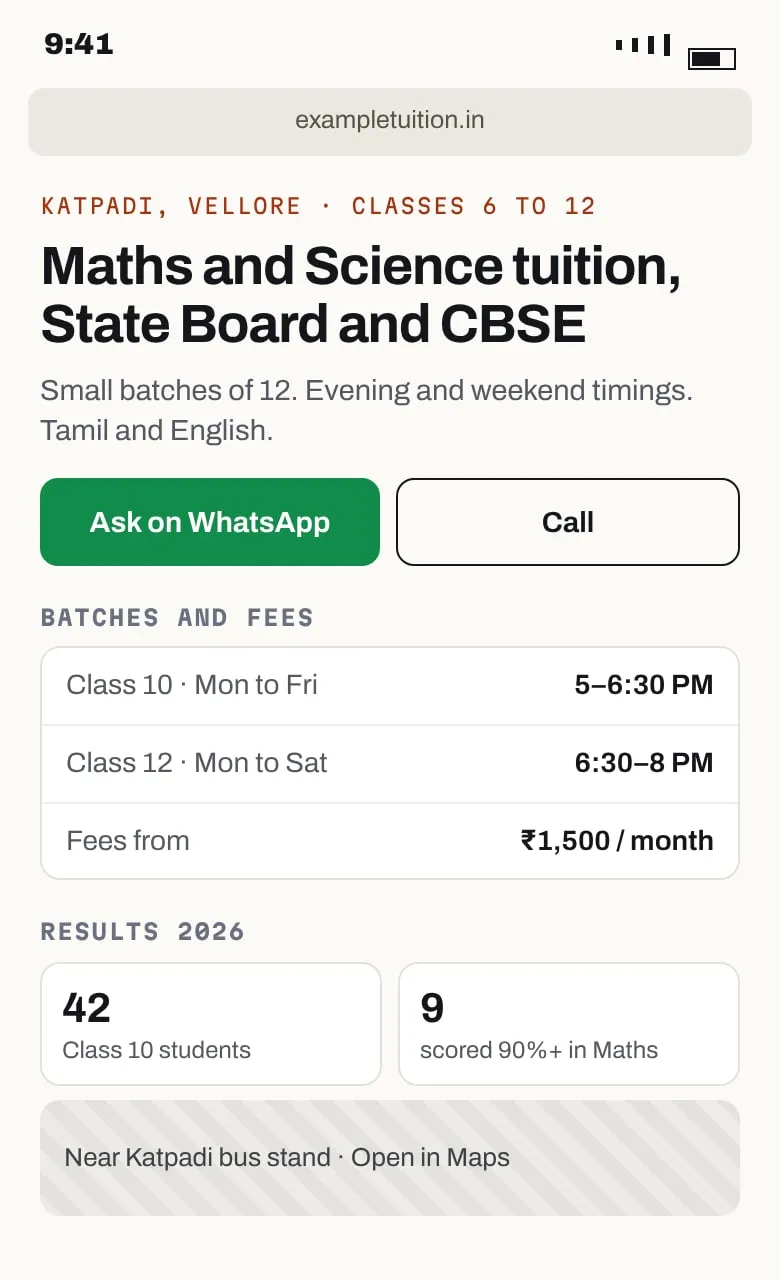
- Area and classes first, in the small line above the headline.
- One main button: Ask on WhatsApp. Call as the second option.
- Batch timings and a starting fee, so parents can compare.
- Results as numbers, shown with families' permission.
- A landmark and a link that opens in Maps.
The page outline to copy
A tuition centre doesn’t need ten pages. One well-built page does the job, with an optional second page per course once you have more than three or four batches. Here’s the order we use, top to bottom:
One-page tuition site, in this order
- Top line: area and classes ("Katpadi, Vellore · Classes 6 to 12").
- Headline: subjects and board, in plain words. Add the language you teach in if it matters to parents.
- Buttons: Ask on WhatsApp (main), Call (second). Nothing else up here.
- Batches: class, days and timings in a small table, with a starting fee.
- Results: two or three numbers from last year, with permission (see below).
- Teachers: names, subjects and years of teaching. A real photo if they're happy with it.
- How a class works: batch size, tests, how you update parents.
- Location: landmark, a map link, and parking or bus stop if that helps.
- Questions: five short answers parents ask on the phone every week.
Two details that matter more than they look:
- Write the WhatsApp message for them. A WhatsApp link can carry pre-filled text, so the parent taps once and sends “Hi, I’d like details for Class 10 Maths”. Our own free-sample button does exactly that. Parents who don’t know what to type often don’t type at all.
- Say which language you teach in. In Tamil Nadu this decides a lot of admissions. If you teach in Tamil and English, say so in the first two lines. If you want the whole site in both languages, we wrote a separate guide on Tamil and English websites.
Parents who don’t know what to type often don’t type at all. Write the first message for them.
What we learned from an education site
The closest thing we’ve built is a full redesign for Online Taleem ul Quran, an academy that teaches the Quran one-to-one, online, to families around the world. It isn’t a local tuition centre, but the job is the same: help a parent understand the classes quickly and take one step.
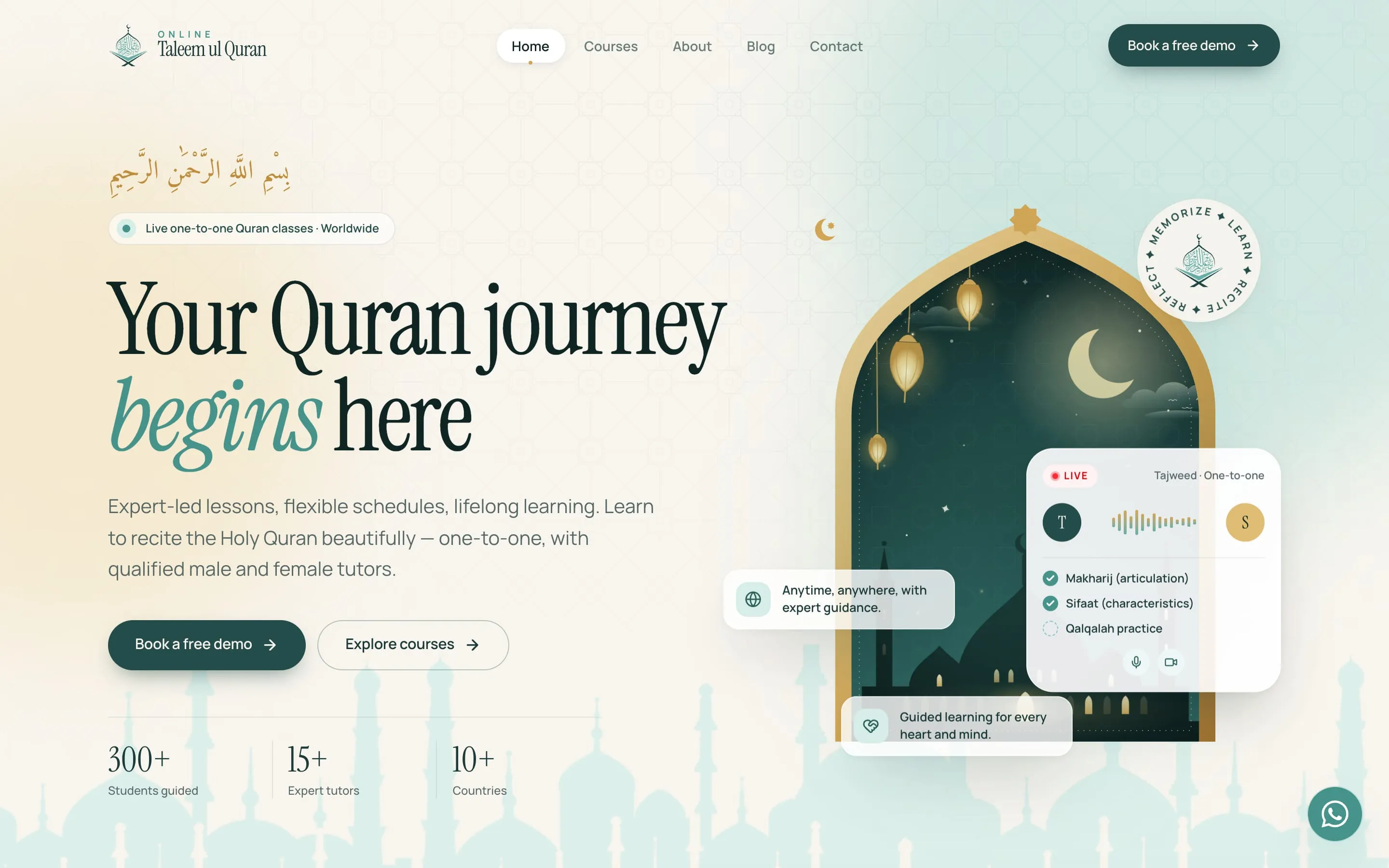
Three decisions from that project carry straight over to a tuition centre:
- One action, everywhere. The demo-class button sits in the menu, the first screen and the mobile menu. A parent never has to look for it. For a local centre, swap “book a demo” for “ask on WhatsApp” or “book a free trial class”.
- An honest comparison. The site compares the academy with a local madrasa and a home tutor, and the other two columns say “usually” or “depends”, because they do. Parents trust a page that doesn’t oversell.
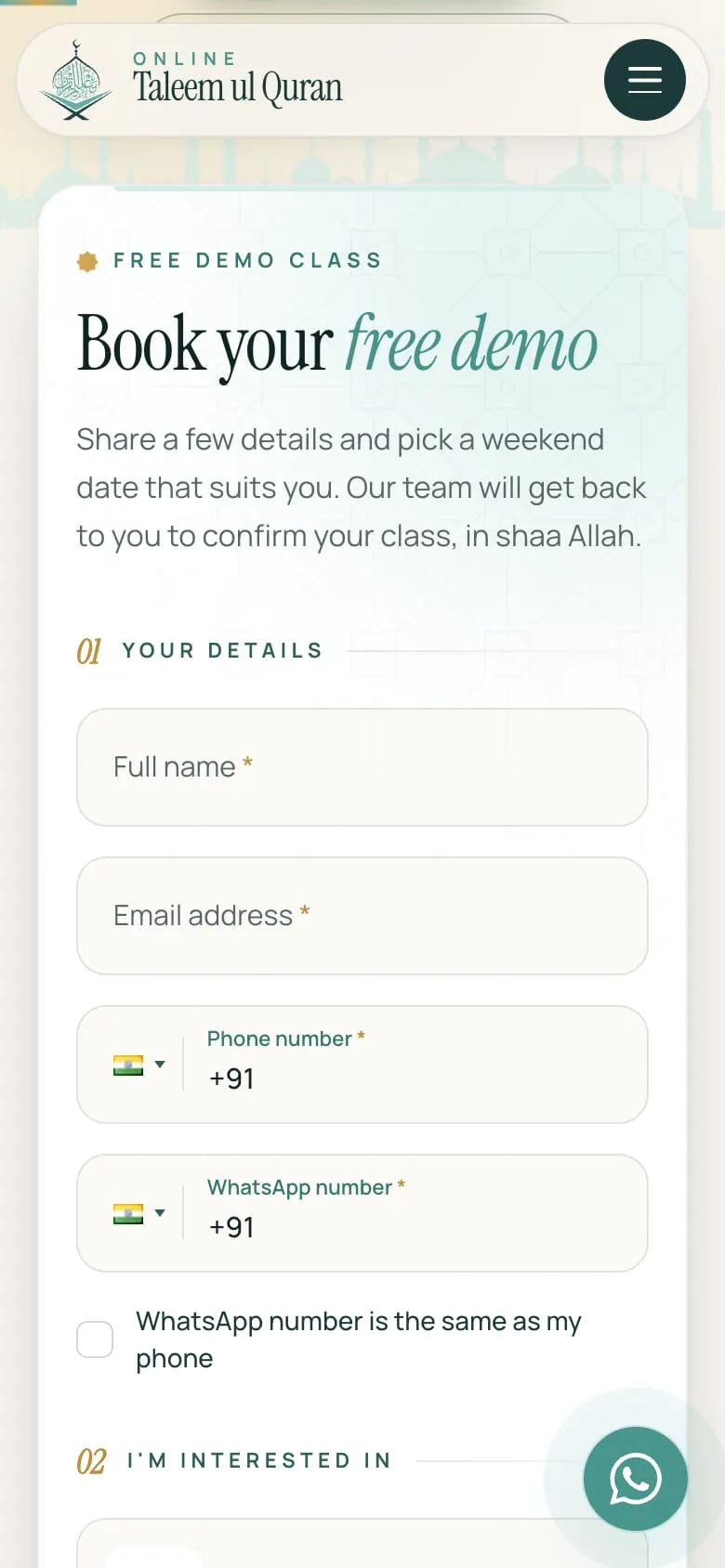
- A calm booking form. On the phone, the form has one field per row and the parent picks a weekend date. The bookings still land in the academy’s existing Google Sheet, so nothing changed for the people answering them.
Showing results without upsetting families
Results sell tuition, and they’re also where centres get into trouble. A topper’s photo and marks on a banner feel normal offline. Online, they’re searchable, shareable and permanent, and the student is usually a child.
Do
Show totals: '9 of 42 students scored 90%+ in Maths'
Parents get the proof, no child is named, and the number is easy to check against your own records.
Don't
Post a child's photo, full name and marks without a written OK
It can upset the family, and children's personal data needs extra care under India's data protection rules.
If a family is happy to be featured, ask for it in writing (a WhatsApp message counts as a record), show only what they agreed to, and take it down the day they ask. Keep enquiry forms short too: a parent’s name, phone number and the class is enough to call back. Don’t ask for a child’s date of birth or school on a public form.
What it costs in 2027
These are our published prices, from our services page. Other studios will differ, but the split between a fixed starter site and a custom build is common.
| What you get | Price with us | Time |
|---|---|---|
| Starter tuition website: classes, results, fees and a WhatsApp enquiry button | ₹7,999 fixed | Live in 5 days |
| Starter business website (for a centre that also runs other services) | ₹12,999 fixed | Live in 7 days |
| Custom website: up to 8 pages, a CMS your team can edit, SEO set-up | From ₹60,000 | After a written spec |
| Care plan: monitoring, a monthly measured report, updates and small fixes | From ₹6,000 a month | Optional |
For most single-branch centres, the starter site is the right one. You’d move to a custom site when you need a page per course with its own enquiry form, several branches, or online admissions and fee payments.
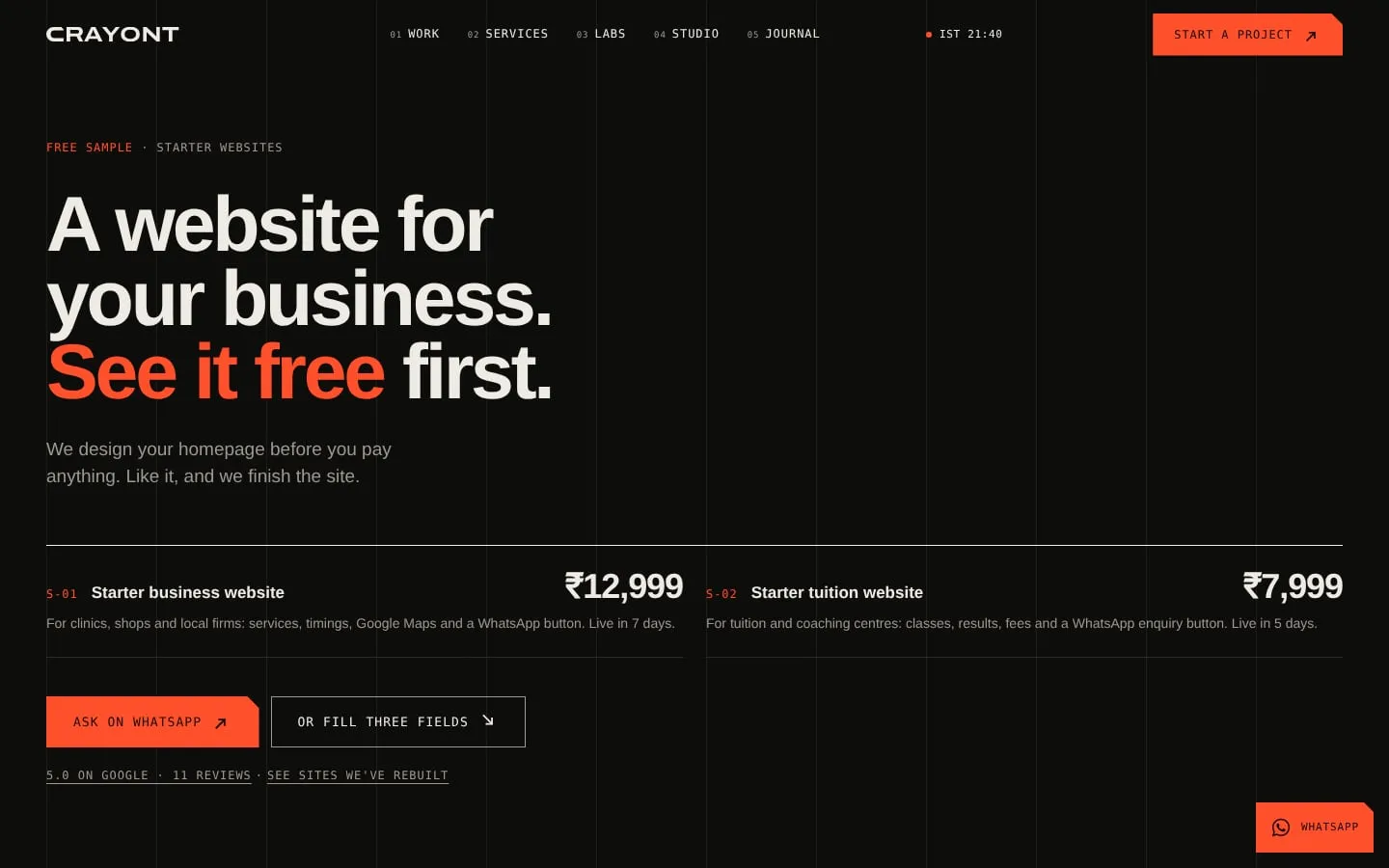
Here’s how the starter works. We design your homepage first and send you the link on WhatsApp. If you like it, you pay the fixed price and it goes live. If you don’t, you owe nothing.
When you don’t need a website yet
Be honest with yourself here. A website costs money and a little time every year, and it isn’t always the next thing to spend on.
- Every batch is full from word of mouth. Then a complete Google Business Profile with timings, photos and reviews is enough until you open a new batch or a new branch.
- You can’t answer WhatsApp quickly. A site that sends enquiries to a number nobody checks until Sunday does more harm than no site. Fix the reply first.
- You’ll change timings every week and won’t update the site. Wrong timings lose parents’ trust fast. Either keep the site to things that don’t change, or plan who updates it.
A one-week plan
You can have this live within a week if you gather the content first. This is the order that saves the most back and forth:
- Day 1: write down subjects, classes, boards, batch timings and a starting fee.
- Day 2: collect last year’s results as totals, and written OKs from any family you want to feature.
- Day 3: take two or three real photos of the classroom in daylight, with no children’s faces unless families agreed.
- Days 4 to 6: the site gets built. Check it on your own phone and on a parent’s phone.
- Day 7: add the site link to your Google Business Profile and your WhatsApp Business profile, and send it to current parents.
If you’re in Vellore, Chennai or anywhere else in Tamil Nadu and want us to build it, see web design in Vellore, our work, or contact us. Or skip all of that and ask for the free sample.
Questions people ask
- Does a tuition centre need a website in 2027?
- If you want new students from outside your street, yes. Parents search for tuition by subject and area, look at the results on the map, and open the site to check timings and fees before they call. If every batch is already full from word of mouth, a complete Google Business Profile is enough for now.
- What should a tuition centre website include?
- Subjects and classes, the board (State Board, CBSE or both), your area, batch timings, fees or a starting fee, results shown with families' permission, the teachers, your location on a map and one WhatsApp button. One page can hold all of it.
- How much does a tuition centre website cost in Tamil Nadu?
- With us, a starter tuition website with classes, results, fees and a WhatsApp enquiry button is ₹7,999 fixed, live in 5 days, and we design a free sample homepage before you pay. A larger custom site with up to 8 pages and a CMS starts at ₹60,000.
- Should I show fees on my tuition website?
- Show at least a starting fee. Parents compare two or three centres before they call, and a 'from' price filters out the calls that end at the fee anyway. Exact fees per batch can stay in the WhatsApp reply.
- Can I put student photos and marks on my website?
- Only with the parent's written permission, and only what they agreed to. Many families are fine with a first name and a percentage but not a photo. Ask for each child, keep the reply, and take it down when they ask.
Keep reading
All notes →- Website maintenance cost in India in 2027: what you're actually paying for each monthWhat website maintenance costs in India in 2027, split into the running costs you pay anyway and the work someone does each month. With a copyable monthly checklist, what we found when we checked our own site's code today, and when you don't need a maintenance plan at all.
- AI tool ideas for small businesses in 2027: five small tools you can build, and what they cost to runFive small AI tools to build for shops, clinics and tuition centres in 2027: voice notes to bills, enquiry replies in Tamil and English, price-list search, enquiry sorting and read-aloud updates. With the model for each and the running cost worked out from Cloudflare's published prices.
- Side projects developers can launch in 2027: small tools for people you can actually reachSix side project ideas for developers in 2027, built for buyers you can walk up to: shops, tuition centres, clinics, print shops and trusts. With the free-tier maths on Cloudflare Workers and D1, and what we learned shipping Redlyn and Fatura.