GSAP6 min read
GSAP website animations in 2027: how to keep them fast, readable and calm
What GSAP really costs a page in 2027, measured on our own site: script weight per plugin, long tasks with and without motion, and the five rules we use so scroll animations never hide text or shift the layout.

Quick summary
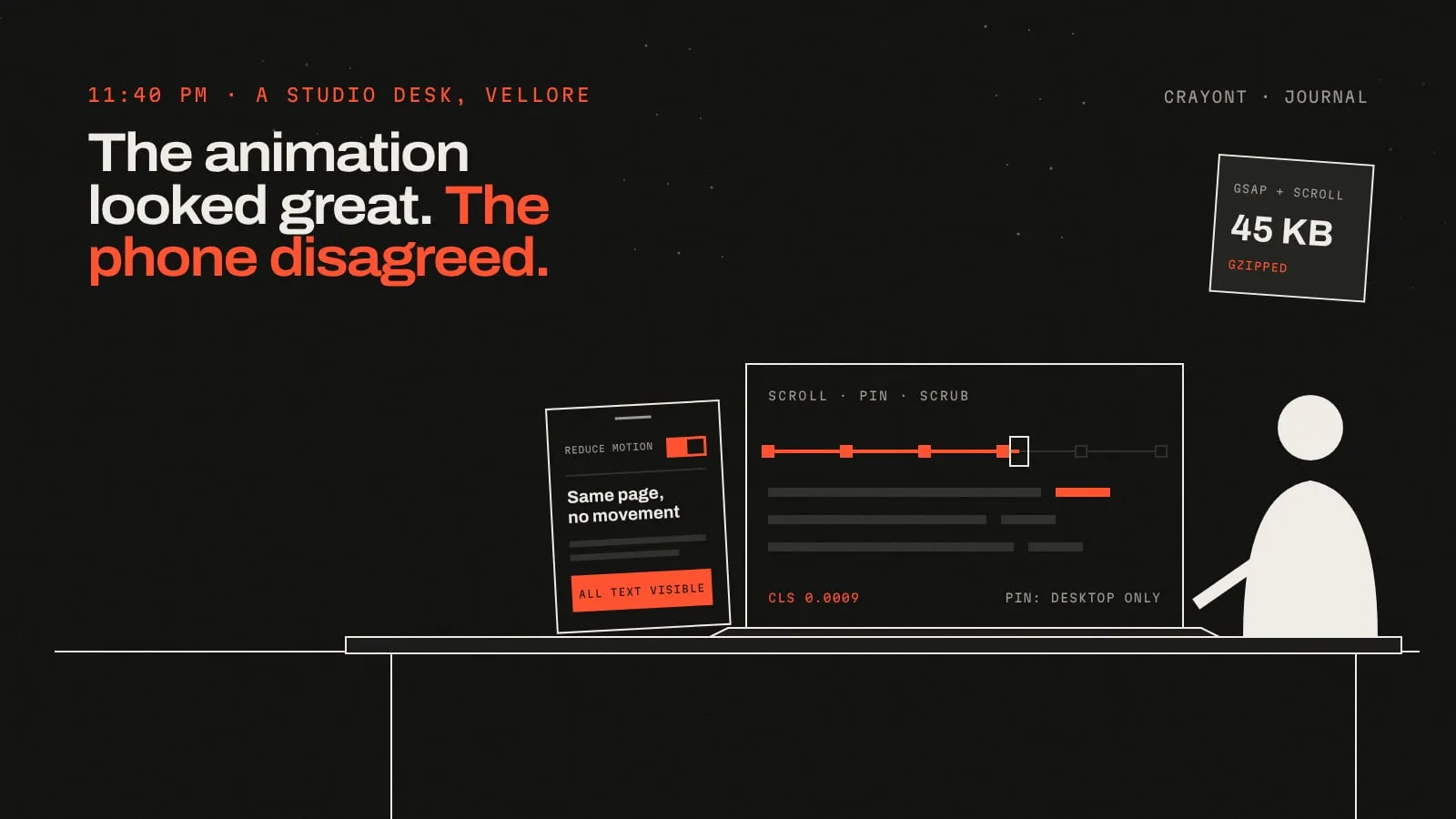
- GSAP is not heavy by default. The core plus ScrollTrigger came to 45 KB gzipped in our test; registering all eleven plugins we use took it to 90 KB.
- Never hide text behind JavaScript without a safety net. Our reveal targets are hidden only while a 'motion' class is on the page, and an inline script removes it after 5 seconds if nothing has started.
- Treat reduced motion as a designed state. With gsap.matchMedia() the pinned section simply doesn't set up, and the finished layout shows.
- Pin and scrub only on wide screens. On phones the same section runs a light version with no pin.
- Measure your own page. On ours, full motion added three to five long tasks during load and scroll on a fast desktop; layout shift stayed at 0.0009 either way.
Short answer: GSAP doesn’t make a site slow. Loading every plugin on every page, hiding text until a script runs and pinning sections on phones do. Load only what the page uses, keep the text visible without JavaScript, and build the calm version of each section on purpose.
I build the motion on crayont.com with GSAP, so everything below comes from our own code and from measurements I ran on our homepage this morning. Where the numbers are lab numbers on a fast machine, I say so.
What GSAP actually costs a page
Most “GSAP is heavy” talk never names a number. So I bundled the same GSAP 3.15.0 that our site uses with esbuild, minified it and gzipped it at level 9:
| What you import | Minified | Gzipped |
|---|---|---|
| GSAP core only | 70.7 KB | 27.6 KB |
| Core + ScrollTrigger | 115.2 KB | 45.1 KB |
| Core + ScrollTrigger + SplitText | 122.6 KB | 48.2 KB |
| All 11 plugins our site registers | 234.4 KB | 90.0 KB |
| Lenis 1.3.26 (smooth scroll), for comparison | 18.6 KB | 5.4 KB |
Two honest things come out of that table.
First, the plugins most sites need (ScrollTrigger and SplitText) cost about 48 KB gzipped. That’s less than a single hero photo on most business sites.
Second, our own site is the heavy case. We register all eleven plugins in one file, src/scripts/motion/gsap.ts, so every script imports GSAP from one place with our eases already set. It’s tidy, and the production chunk is 88 KB gzipped. If your site only reveals a few headings, don’t copy that. Import ScrollTrigger and stop there.
Rule 1: text must be visible without JavaScript
The classic mistake is CSS like .reveal { opacity: 0 } waiting for a script to fade it in. If the script is slow, blocked or broken, the visitor sees an empty block and so does Google.
We hide reveal targets only while the page has a motion class, which an inline script in the page head adds when motion is allowed:
/* Reveal targets are hidden only when JS runs and motion is allowed. */
html.motion [data-reveal] {
  visibility: hidden;
}
The same inline script sets a safety net. If no reveal has started after 5 seconds, or any script error fires, it drops the gate and the page becomes the plain static layout:
const unGate = () => {
  if (!document.querySelector("[data-reveal-init]")) {
    d.classList.remove("motion");
    d.classList.add("is-static");
  }
};
setTimeout(unGate, 5000);
addEventListener("error", unGate, { once: true });
Nothing important ever depends on the animation running.
Do
Hide reveal targets behind a class that JavaScript adds, with a timer that removes it
If the script fails, the page still reads.
Don't
Set opacity: 0 in your stylesheet and wait for GSAP to fade text in
One slow script and your headline is invisible to visitors and crawlers.
Rule 2: reduced motion is a designed state
Phones and laptops have a setting for people who get dizzy or distracted by movement. A site reads it with the prefers-reduced-motion media query. Switching every animation off isn’t enough, because a pinned section with its animation removed often leaves a half-drawn diagram or an empty stage.
GSAP’s gsap.matchMedia() lets each layout set itself up only when its query matches. Our homepage process section uses two queries and nothing else:
const DESKTOP = "(min-width: 1024px) and (prefers-reduced-motion: no-preference)";
const MOBILE = "(max-width: 1023.98px) and (prefers-reduced-motion: no-preference)";

const mm = gsap.matchMedia();
mm.add(DESKTOP, () => setupDesktop(root));
mm.add(MOBILE, () => setupMobile(root));
With reduced motion on, neither matches, so nothing runs and the markup’s finished state shows. We designed that finished state first: every station lit, every line of text in place.
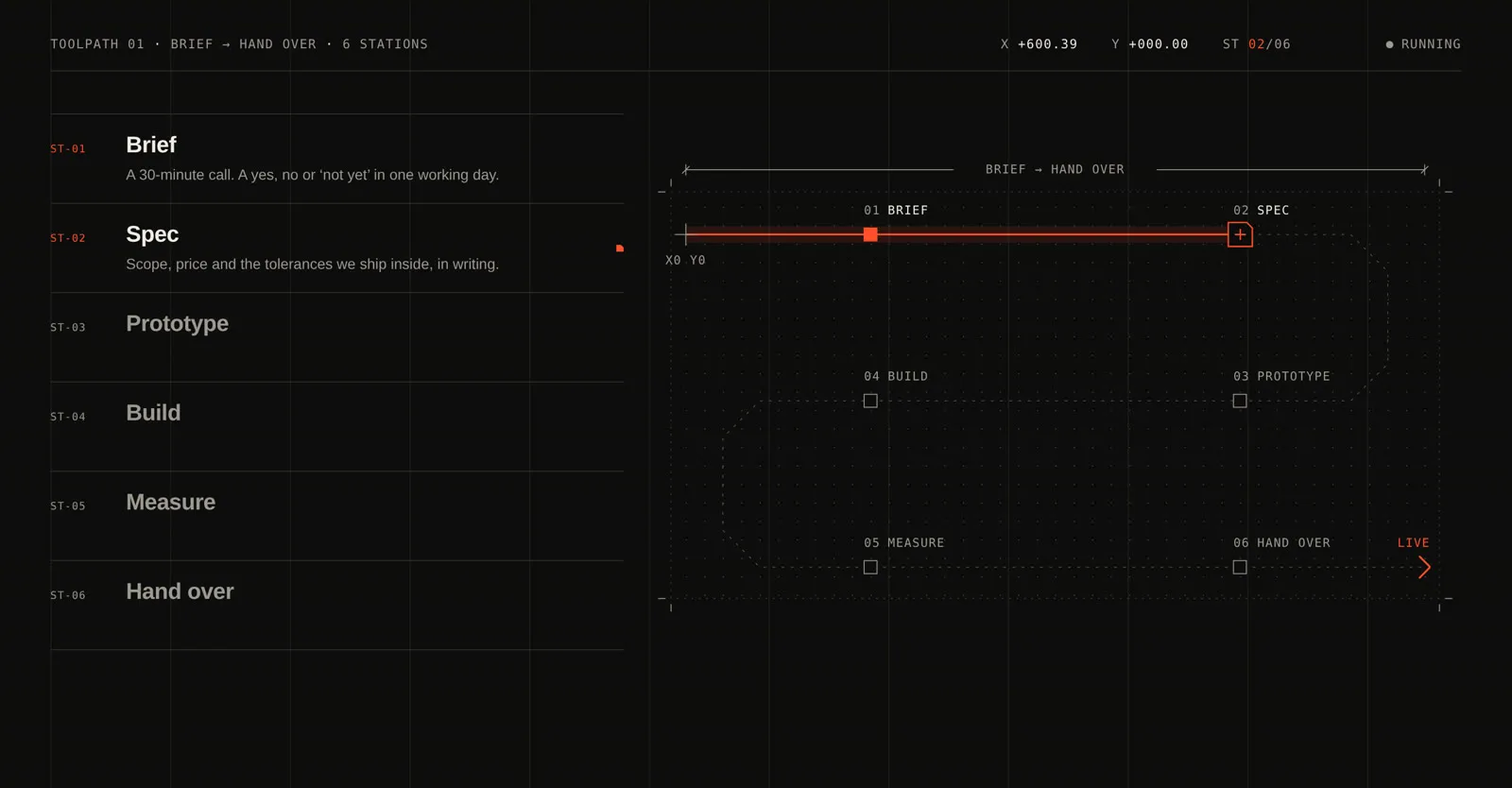
Motion on: scrubbed by the scroll
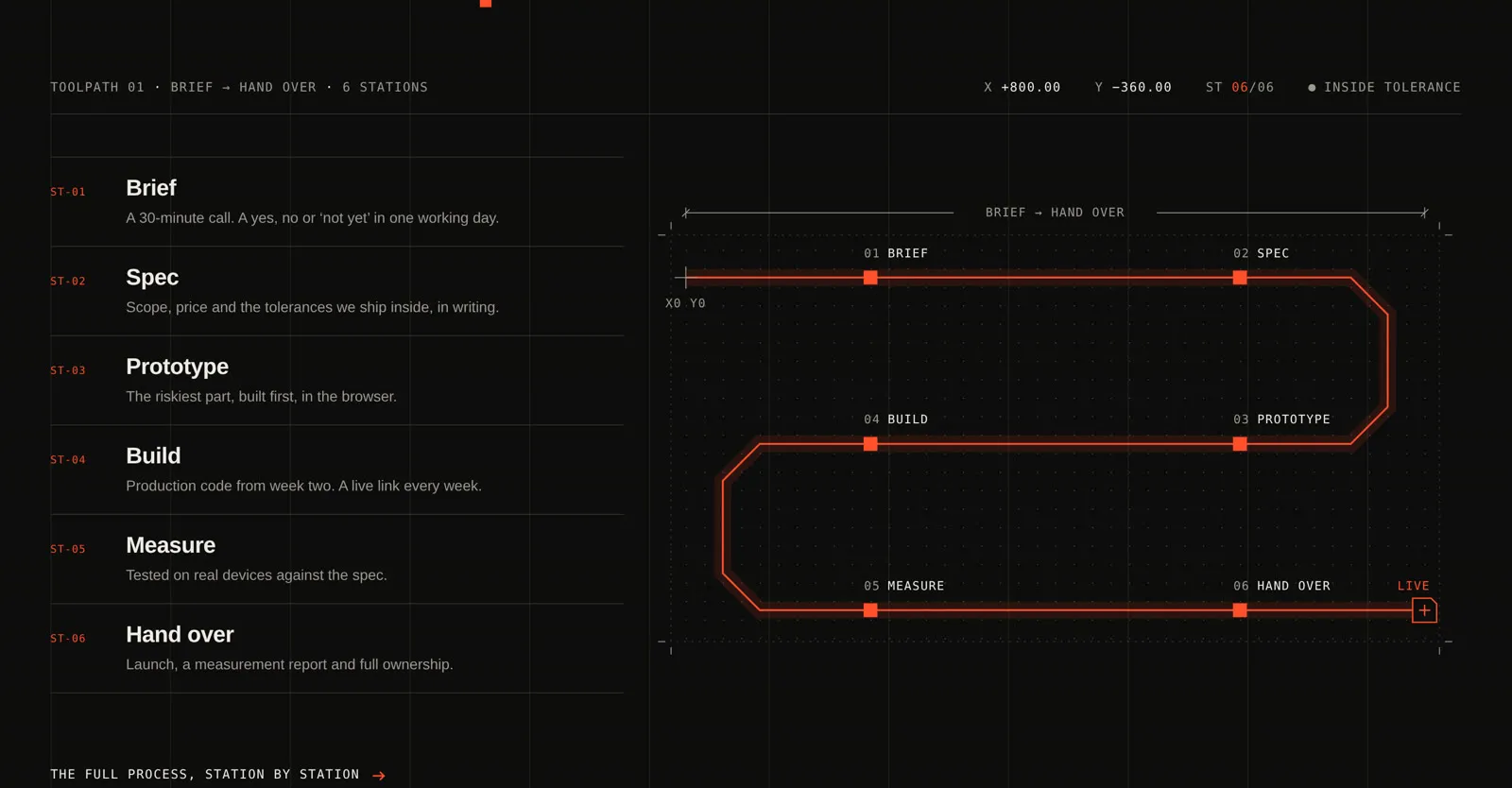
Reduced motion: the finished state
Rule 3: pin and scrub only where there’s room
A pinned section holds the screen still while you scroll through an animation. On a 1440 px screen that feels like a film. On a phone it feels like the page is stuck.
Our process section pins for 1.5 screen heights on desktop and doesn’t pin at all on phones. There, a thin rail draws as you scroll past and the stations light up as they pass. Same story, a fraction of the work.
One more line saved us real bugs. On phones, the address bar showing and hiding fires resize events, and ScrollTrigger recalculates every pin when that happens, which makes sections jump mid-scroll. We turn that off once, globally:
ScrollTrigger.config({ ignoreMobileResize: true });Real width and orientation changes still refresh.
Rule 4: wait for fonts before splitting text
Line-by-line headline reveals use SplitText, which measures where each line breaks. If it measures before the web font loads, it measures the fallback font. Then the real font arrives, the lines rewrap and the layout shifts.
Our reveal script waits for the browser’s font loading first:
if (document.fonts?.ready) await document.fonts.ready;It costs nothing on repeat visits, when fonts are cached, and it keeps the split lines matching the real text.
If the page only makes sense while it’s moving, it isn’t finished.
Rule 5: one place for eases and durations
Smooth motion is mostly consistency. Every animation on our site uses one of two eases and one of four durations, set once:
CustomEase.create("reveal", "0.16, 1, 0.3, 1");   // things entering
CustomEase.create("machined", "0.7, 0, 0.2, 1");  // moves, wipes, scrubs
export const DUR = { d1: 0.12, d2: 0.24, d3: 0.48, d4: 0.96 } as const;
No elastic, no bounce. When motion feels “off” on a site, it’s usually a dozen slightly different curves, not one bad one.
What we measured on our own homepage
I served a production build of our site locally and loaded the homepage in Chromium with Playwright at 1440 × 900. The script scrolled the whole page, then read layout shifts and long tasks (any task over 50 ms that blocks the main thread). I did four runs with motion on and four with reduced motion.
- Layout shift (CLS): 0.0009 in every run, with or without motion.
- Long tasks with motion: 4 to 6 per run, adding up to 427 to 1,042 ms across load and the full scroll.
- Long tasks with reduced motion: 1 per run, 105 to 120 ms.
- Phone width (390 px), motion on: 1 long task of 87 ms, because nothing pins and the custom cursor is off.
Be clear about what this is: a lab test on a fast machine with no slowdown applied, not field data from real visitors. It still answers the useful question. Motion has a cost you can see, it lands on desktop where the pin and cursor run, and it never moves the layout.
When not to use GSAP
- A few fades and a progress bar. CSS scroll-driven animations do this with no script. Our trends post has the browser support details.
- A landing page that has to load instantly on 4G. Every KB of script competes with your headline and photo.
- Anything where the animation carries the message. If a price, a phone number or a form only appears after an effect, someone will miss it.
GSAP earns its weight when several things must move in sync with the scroll: a pinned process, a product that assembles itself, a before-and-after that scrubs.
A checklist to give your developer
GSAP motion brief
- Weight: list the plugins each page loads and their gzipped size.
- No-JS: every heading and paragraph readable with JavaScript off.
- Safety net: hidden content is shown again if nothing animates within a few seconds.
- Reduced motion: a designed static version of every section, shown to me before launch.
- Phones: no pinned sections below 1024 px unless they're cheap and tested on a real phone.
- Proof: CLS and long tasks measured with motion on and off.
What this costs with us
Our prices are public. A custom website of up to 8 pages starts at ₹60,000 and a 3D & WebGL website starts at ₹1,50,000. Both come with a reduced-motion version and the checks above. If you’re nearby, see 3D & WebGL websites in Vellore, or look at our work first.
Already have an animated site that feels slow? Send us the address and we’ll tell you which of these five rules it breaks.
Questions people ask
- Is GSAP free to use on a client website in 2027?
- The GSAP 3.15.0 package on npm lists its licence as the Standard 'no charge' licence and ships the plugins we use, including ScrollTrigger, SplitText and MorphSVG, inside the same package. Read the licence at gsap.com/standard-license before you rely on it for your own project.
- Do GSAP animations hurt SEO?
- Not if the text is real HTML and visible without JavaScript. The risk is hiding headings until a script runs. If the script fails or loads slowly, search engines and visitors see an empty block. Hide content only behind a class that JavaScript adds, and remove that class on a timer if nothing has started.
- How big is GSAP?
- In our test on 15 November 2026 (GSAP 3.15.0, minified with esbuild, gzip level 9): the core was 27.6 KB, core plus ScrollTrigger 45.1 KB, adding SplitText 48.2 KB, and all eleven plugins our site registers 90.0 KB.
- Should I use GSAP or CSS scroll-driven animations?
- Use CSS for small reveals and progress bars, because they run without a script. Use GSAP when several things must move in sync with the scroll, a section pins, or you need a precise fallback for phones and reduced motion.
- What does an animated website cost with Crayont?
- A custom website of up to 8 pages starts at ₹60,000, and a 3D & WebGL website starts at ₹1,50,000. Both include a reduced-motion version and the speed checks in this post.
Keep reading
All notes →- Website maintenance cost in India in 2027: what you're actually paying for each monthWhat website maintenance costs in India in 2027, split into the running costs you pay anyway and the work someone does each month. With a copyable monthly checklist, what we found when we checked our own site's code today, and when you don't need a maintenance plan at all.
- Web design trends for 2027 that actually help a business websiteSix web design trends worth using in 2027, checked against browser support data and Google's own thresholds, plus the ones to skip and a brief you can hand to any designer.
- How to fix a poor CLS score: stop your pages jumping aroundWhy your pages fail Cumulative Layout Shift, how to find the element that moves, and the fixes that bring CLS under 0.1 on WordPress, Webflow and custom sites.